




How DivyUp Works
Upload statements from Spotify, BMI, SoundExchange, DistroKid, The Orchard, and more — then organize royalty reporting, generate statements, and understand your entertainment income without rebuilding spreadsheets every month.
Bring your royalty income together
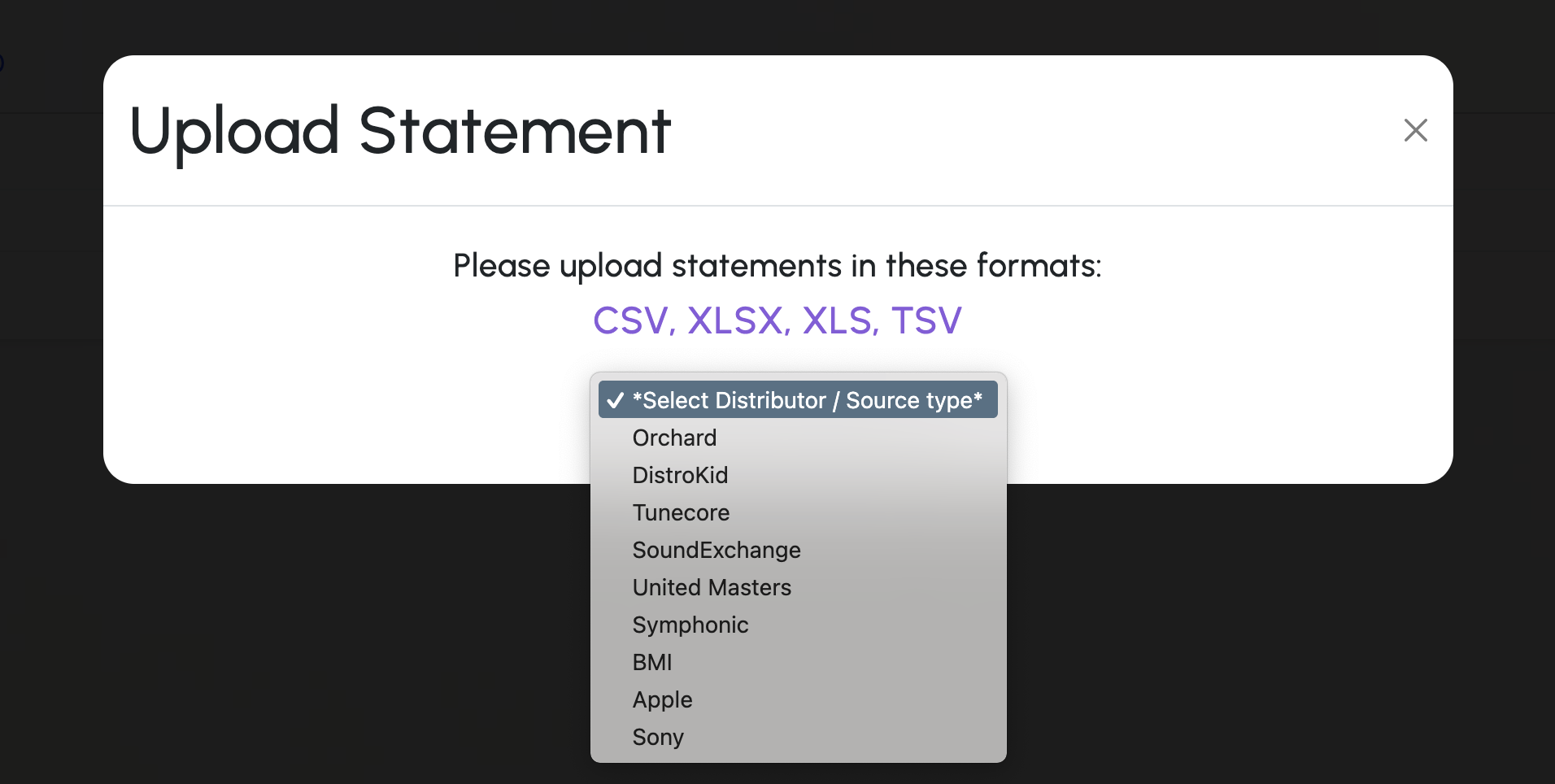
Upload statements from sources like BMI, SoundExchange, DistroKid, TuneCore, The Orchard, and more. DivyUp turns scattered files into one organized view.
Create clean royalty statements
Select the income and transactions you need, apply the right rates, and generate professional royalty statements without manually rebuilding reporting spreadsheets each cycle.
Understand what is really earning
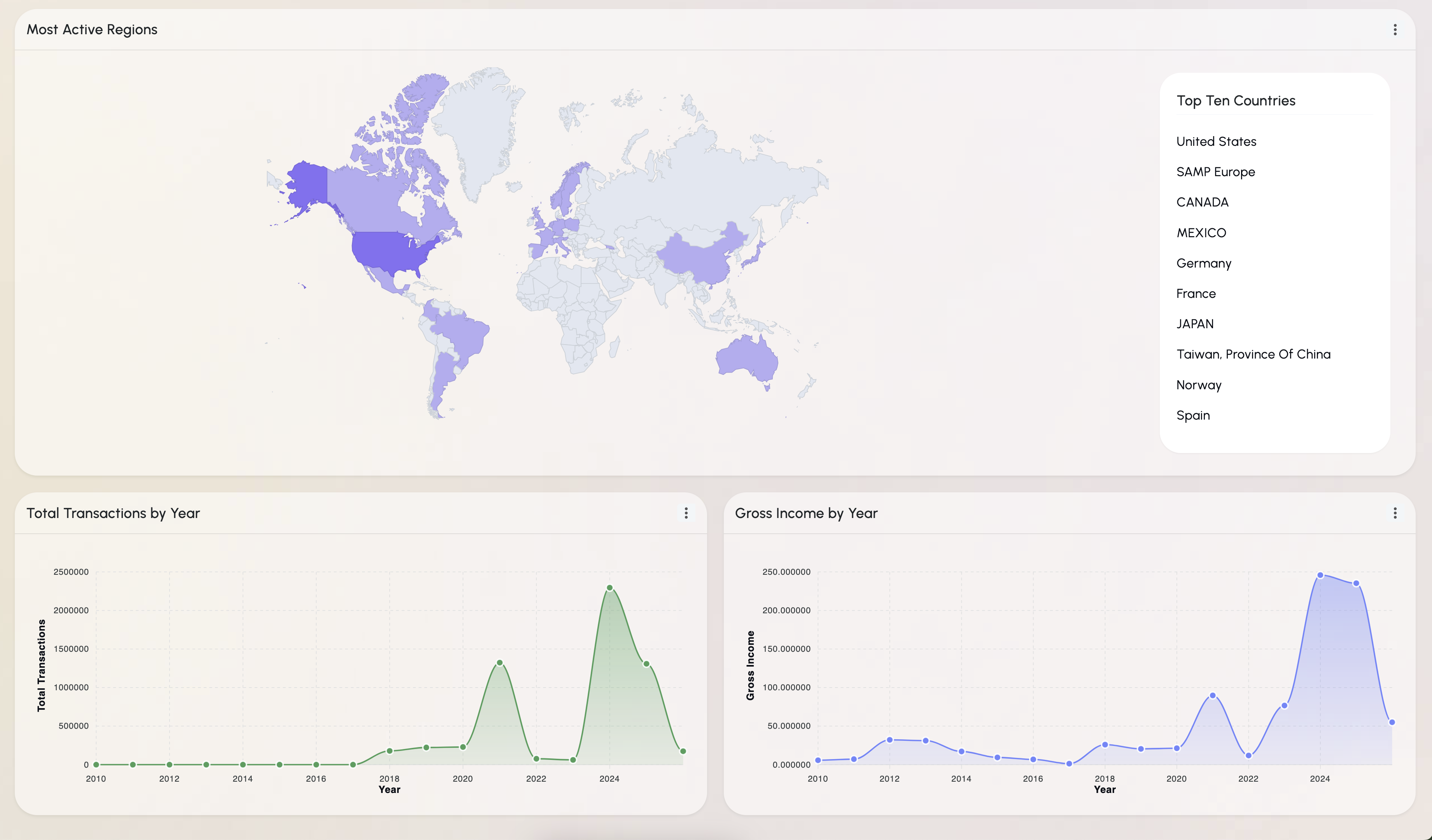
Analyze actual payout data by track, source, territory, period, and more so you can make decisions from real income instead of estimates.
Upload real source statements and see your income clearly

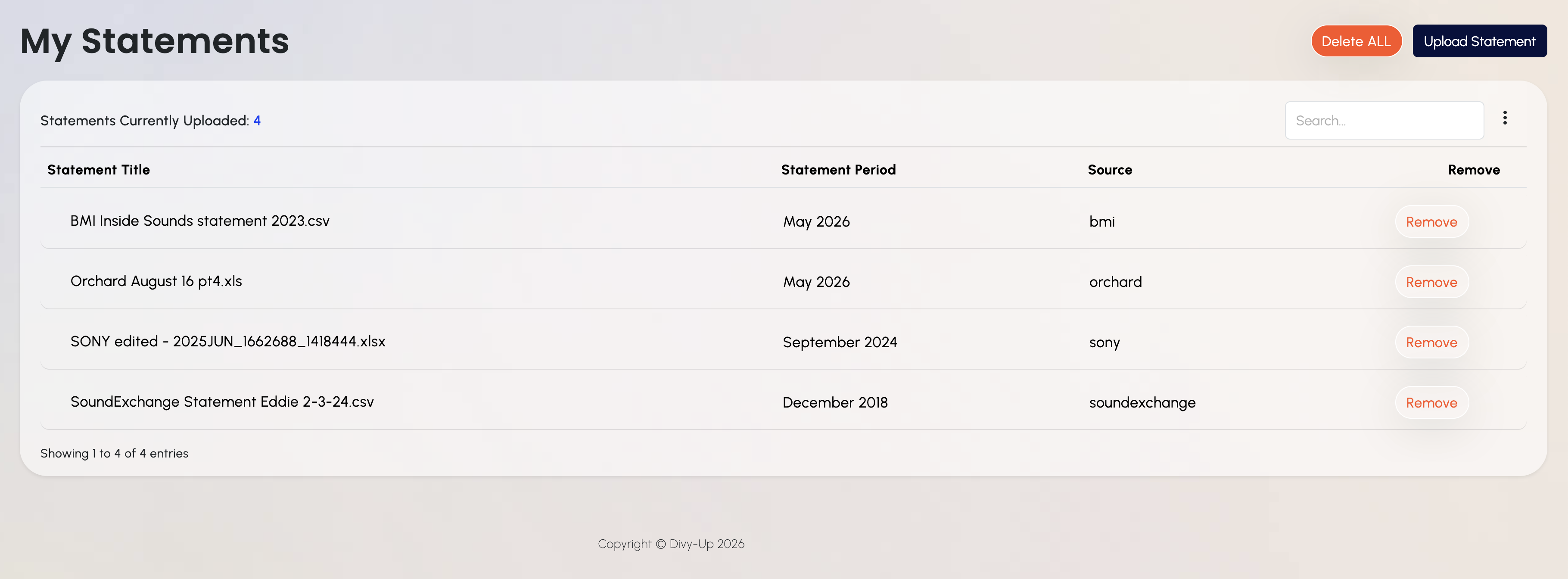
Upload Statements
Add royalty and income reports from supported sources. If a new format is needed, DivyUp can help map it internally.

Choose What to Review
Filter and select the transactions, tracks, artists, sources, or periods you want to analyze.

Get Clear Insights
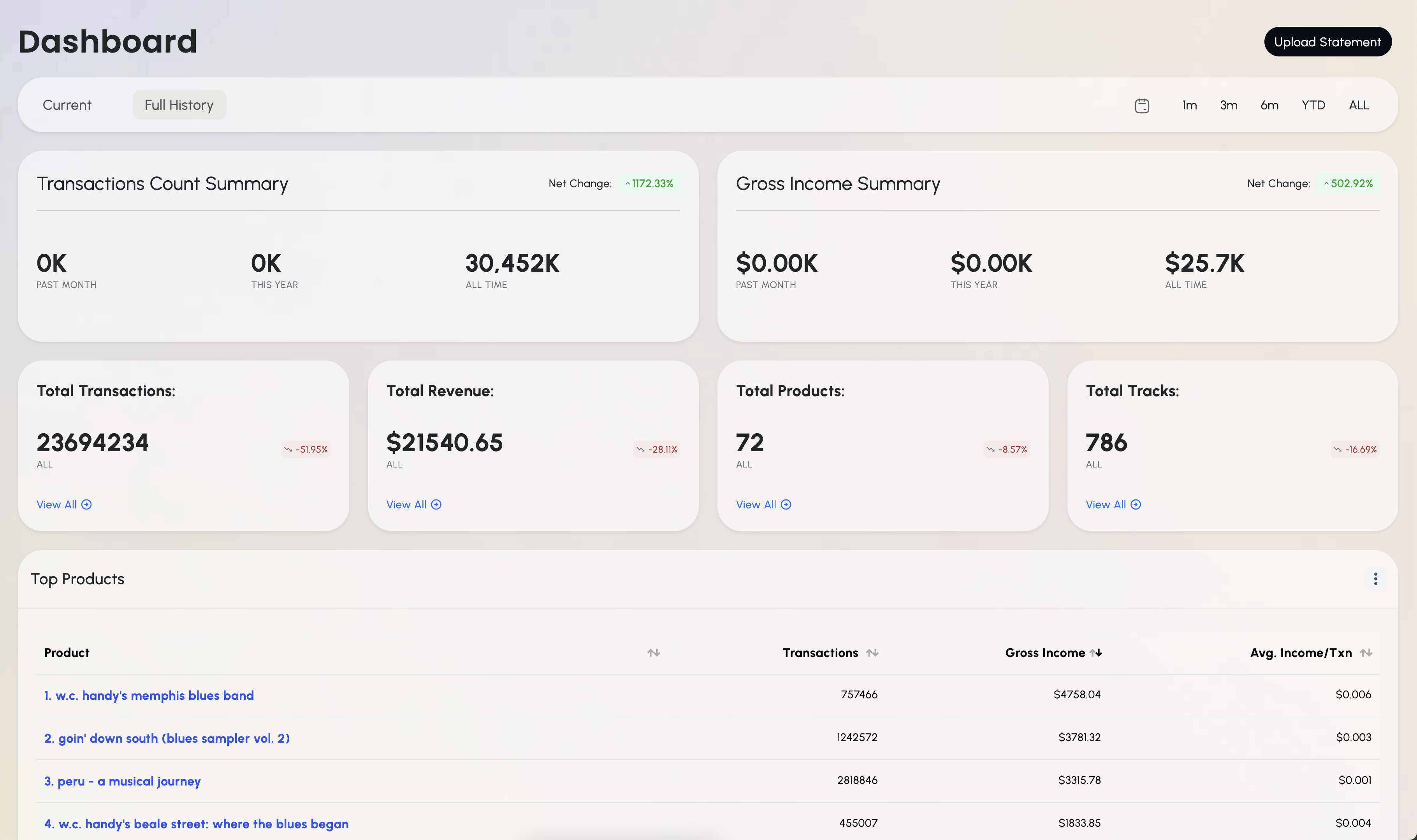
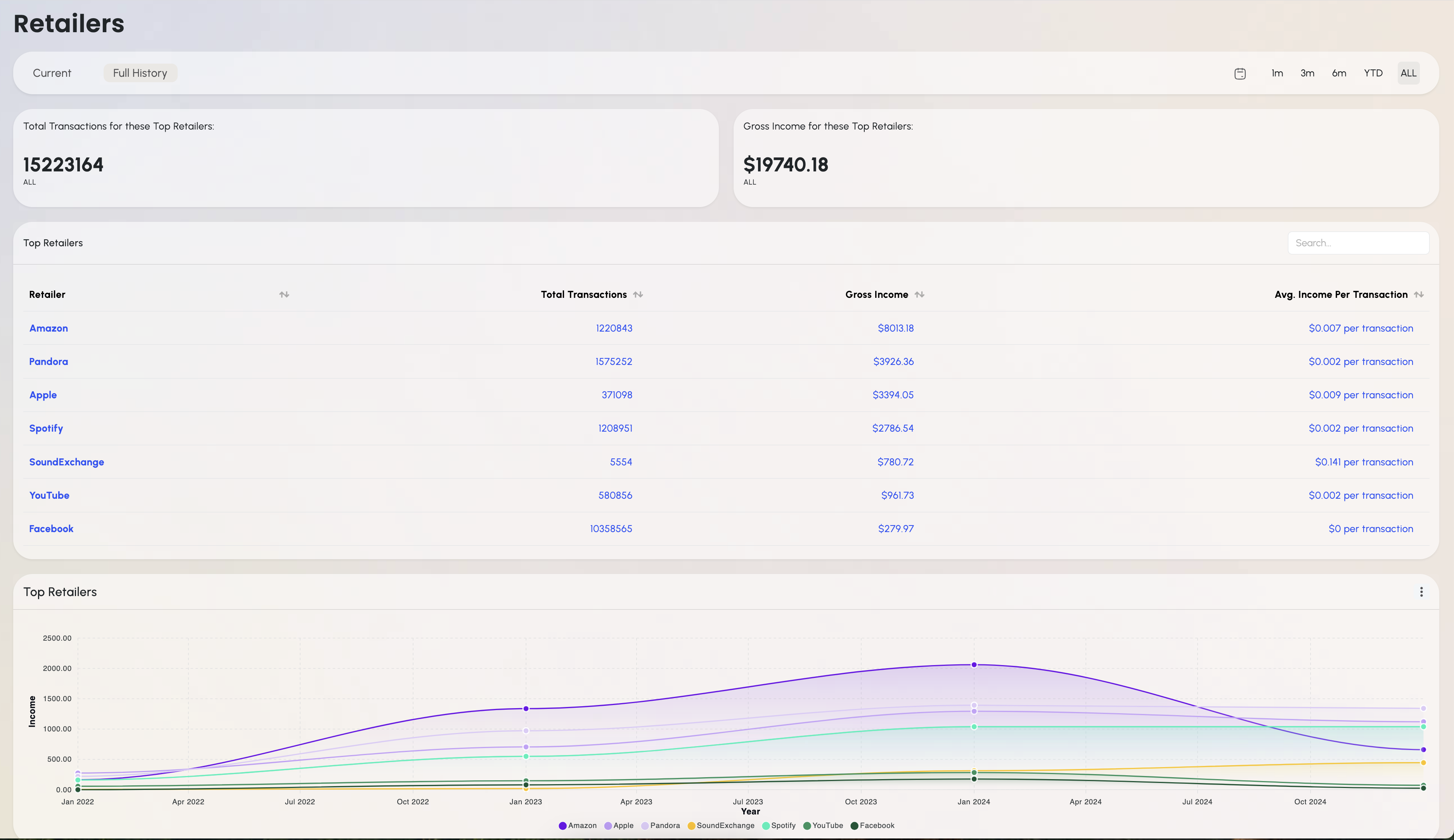
See income trends, top performers, revenue sources, and financial details from your actual payout data.
Try DivyUp for Free
Create accurate royalty statements without rebuilding spreadsheets every cycle
Upload Statements
Upload the statements needed for your royalty cycle — CSV, XLS, XLSX, or TSV.
Select Payable Income
Choose the transactions that need to be reported or paid — filter by track, artist, source, period, and more.
Finalize & Share
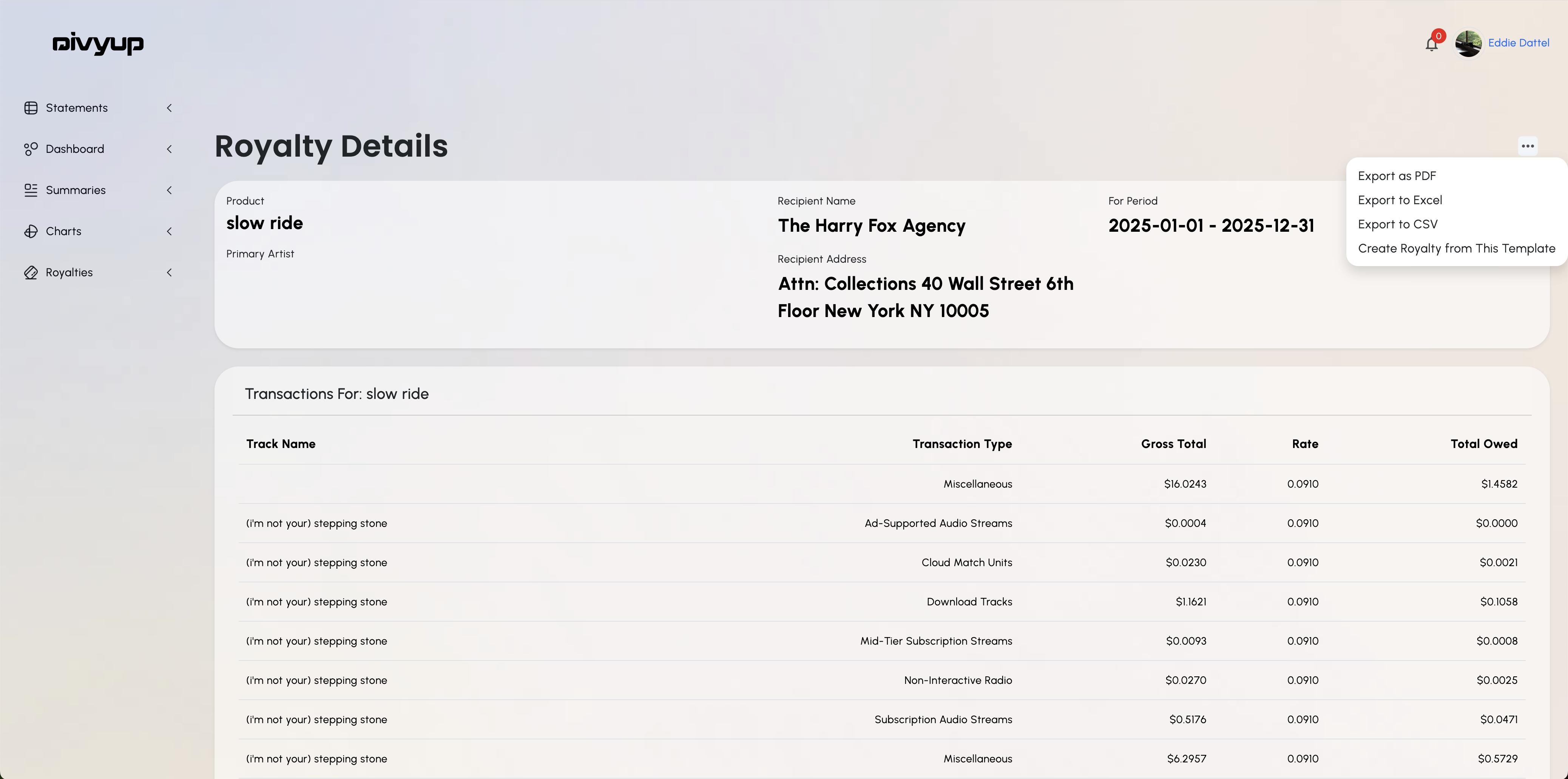
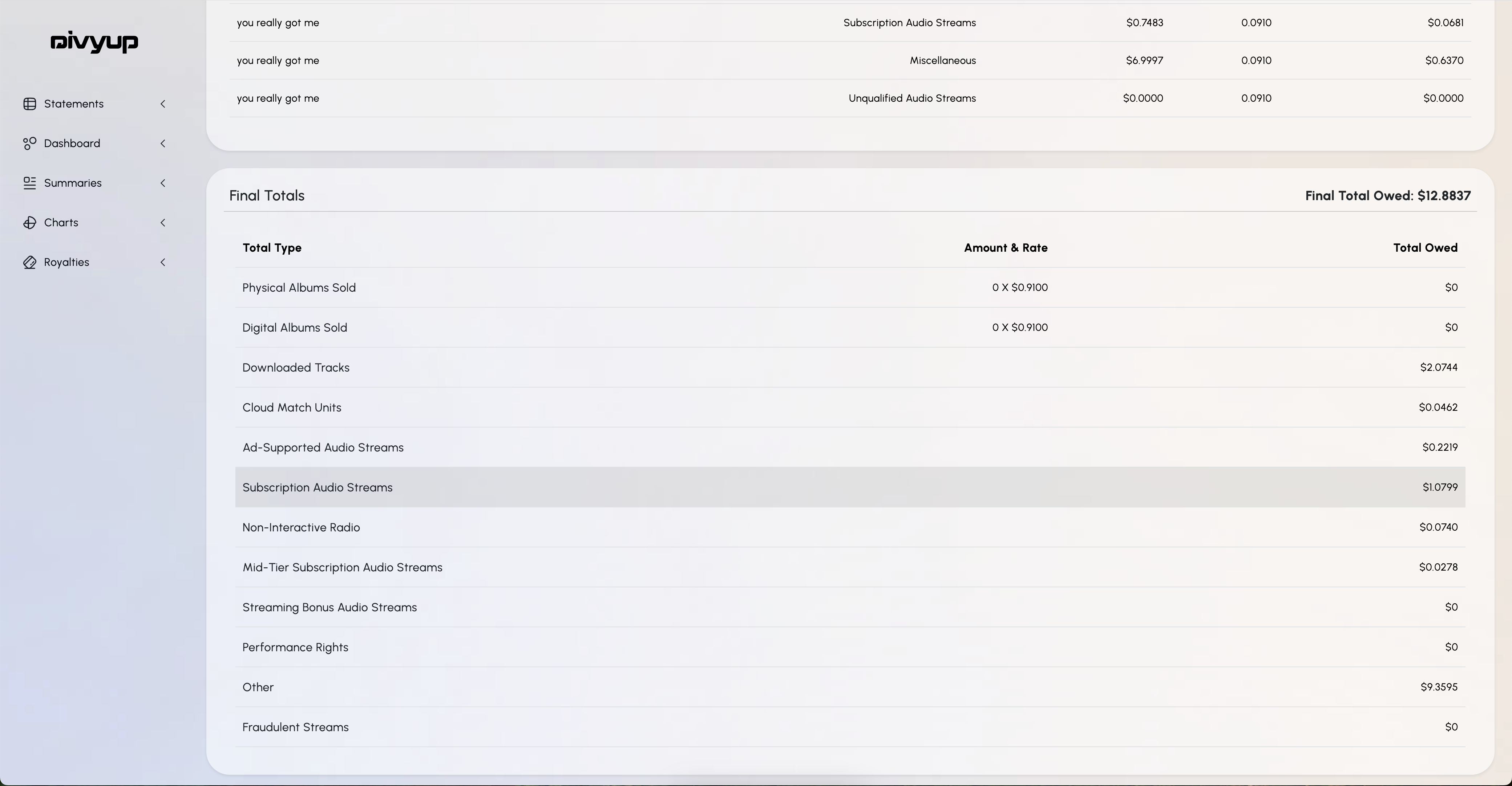
Add rates, review the numbers, and download a professional royalty statement that is ready to send.
Start Creating Statements
Inside DivyUp
Turn real royalty and income statements into professional reports, dashboards, and revenue intelligence.
Top Tracks This Month


Josh

harder
Josh
where's da bud
Josh
where's da bud
Josh
where's da bud
Josh
throb
Josh
slamming doors
Josh
where's da bud
Josh
where's da bud
Choose the Plan That Fits Your Workflow
Start with one royalty statement, test the dashboard, or unlock yearly access for ongoing royalty reporting and income analysis.
01

Yearly User Dashboard
Upload statements, view your own income dashboard, access market insights, and make eligible data available to business accounts.
02

Yearly Business Dashboard
Access broader performance insights across available user and artist data for research, discovery, and business analysis.
03

Demo Dashboard
Upload one statement and preview a sample dashboard so you can see how DivyUp organizes real income data.
04

Royalty Single Use
Create one professional royalty statement for a single reporting cycle.
05

Yearly Royalty Standard
Create unlimited royalty statements for a full year.
06

Yearly User Premium
Create, save, and manage unlimited royalty statements for a year, plus access your user dashboard.
Frequently Asked Questions
What can I upload to DivyUp?
You can upload supported royalty and income statements from sources such as BMI, SoundExchange, DistroKid, TuneCore, The Orchard, and other entertainment income platforms as formats are supported.
What does DivyUp do with my statement data?
DivyUp organizes uploaded source data into cleaner reporting workflows so you can review income, analyze performance, and generate royalty statements without rebuilding spreadsheets manually.
Is DivyUp built for people without accounting or royalty administration experience?
DivyUp is designed to help simplify royalty and entertainment income workflows by organizing uploaded statement data into clearer reporting and royalty views. Users are still responsible for reviewing final reporting decisions, but DivyUp helps reduce the manual work involved in organizing and reviewing income data.
Can DivyUp help create royalty statements?
Yes. DivyUp helps organize uploaded income data into professional royalty statements that can be reviewed, downloaded, and shared without manually rebuilding reports each cycle.
Do users need to map new statement formats themselves?
No. Users upload their statements. If a source format is not already supported, DivyUp can review and map new statement types internally when appropriate.
Who is DivyUp built for?
DivyUp is built for artists, managers, labels, accounting teams, business managers, and entertainment professionals who need clearer royalty reporting and income analysis.
How is payment information handled?
Payments are processed securely through Stripe or PayPal. DivyUp does not directly store or process your card information.
What should I review before sending a royalty statement?
Users are responsible for final royalty accounting decisions. DivyUp helps organize the data and generate statements, but every statement should be reviewed before it is sent.